



Instagram is a popular source of food inspiration, from restaurant recommendations and cooking tutorials to beautifully presented dishes. Reels, Stories, and photos help food enthusiasts discover new recipes, explore dining trends, and plan future restaurant visits.
However, finding a favorite video again isn’t always convenient. Downloading publicly accessible Instagram content can make it easier to revisit recipes, study food photography, and organize restaurant inspiration.
This guide explains how to download Instagram videos and photos, preserve available quality, and manage saved food content while respecting creators’ rights.
Table of Contents
Quick Answer: How to Download Instagram Food Videos
The simplest approach is to copy a public Instagram video’s URL and paste it into a browser-based downloader.
Follow these steps:
- Open Instagram and find the public food Reel or restaurant video.
- Tap the share icon and select Copy link.
- Open a compatible Instagram downloader in your browser.
- Paste the copied URL into the download field.
- Select Download and save the available file.
Downloaded videos usually appear in your device’s Downloads folder or file manager.
This process is useful for saving cooking demonstrations, restaurant tours, and food presentation ideas for later reference.
However, download quality depends on the media version Instagram makes available.
Why Download Instagram Videos for Food Inspiration?
Instagram food content offers more than entertainment. It can provide practical ideas for home cooking, restaurant exploration, and creative projects.
Discover Recipes and Cooking Techniques
Short cooking videos often demonstrate techniques that are easier to understand visually.
For example, a Reel might show how to prepare handmade pasta, decorate desserts, or achieve a particular cooking texture.
Saving a permitted reference allows you to replay important steps without repeatedly searching Instagram.
Explore Restaurant Recommendations
Restaurants frequently publish videos showcasing signature dishes, dining spaces, and seasonal menus.
Food enthusiasts can use these clips to compare dining experiences or create lists of places they want to visit.
However, restaurant offerings, prices, and availability can change, so always confirm current details before visiting.
What Instagram Food Content Can You Download?
Instagram supports several media formats, each offering different types of food inspiration.
- Reels: Short cooking tutorials, restaurant reviews, and food trends.
- Feed videos: Longer demonstrations, chef interviews, and restaurant features.
- Photos: Food photography, menu highlights, and plating inspiration.
- Stories: Temporary promotions, restaurant announcements, and behind-the-scenes updates.
- Carousel posts: Collections of recipes, restaurant photos, or step-by-step instructions.
A browser-based downloader can help preserve supported public content without installing additional software.
How to Download Instagram Videos and Photos with Grabfy
For food enthusiasts who want a convenient way to collect Instagram inspiration, Grabfy offers browser-based tools for downloading publicly accessible videos, photos, Reels, and Stories.
Its link-based workflow makes it particularly useful for organizing recipe demonstrations, restaurant highlights, and visual references without entering Instagram credentials into the downloader.
Step 1: Find the Food Video or Photo
Open Instagram and locate the public post you want to save.
For example, you might choose a restaurant’s signature dish demonstration or a creator’s cooking tutorial.
Check that the content is publicly accessible and still available.
Step 2: Copy the Instagram Link
Tap the share icon and select Copy link.
On desktop, you can also copy the Instagram post link from the browser’s address bar.
Make sure you’re copying the post link for the specific media, not the account’s profile address.
Step 3: Paste the Link into Grabfy
Open Grabfy in your preferred browser and simply paste the copied Instagram post link into the input box.
After that, use the download button and select the available download option.
The Grabfy Instagram Video Downloader provides a dedicated option for saving supported public video posts.
Step 4: Download and Locate Your File
Once the media becomes available, save it to your device.
On Windows and Mac, files generally appear in Downloads.
Android users can check their file manager, while iPhone users may find downloaded files in the Files app.
How to Save Instagram Food Reels in Original Available Quality
Video quality matters when studying cooking techniques or detailed food presentation.
Instagram processes uploaded media, which may involve compression and changes to resolution.
A downloader cannot restore details already lost during processing.
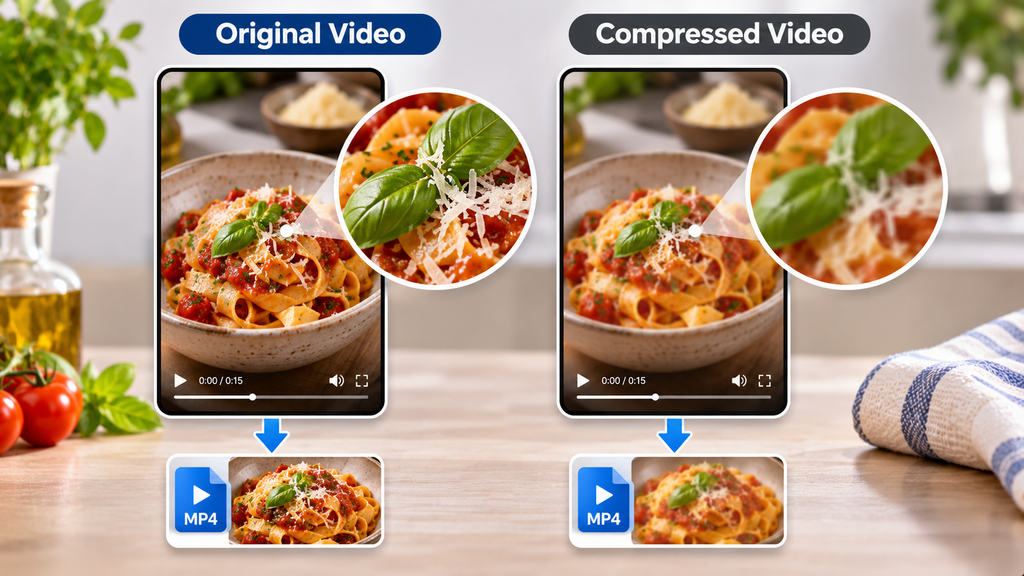
Can You Download Food Reels in 1080p?
Some Instagram videos are available in 1080p, but not every Reel provides that resolution.
The final quality depends on the source file and the version Instagram makes accessible.
For better results, keep the downloaded MP4 file without unnecessary conversions or repeated compression.
What About Audio and Watermarks?
Some cooking videos contain narration, music, or sound effects.
Audio availability may vary, particularly when licensed music is involved.
Similarly, logos or watermarks already embedded in the original media may remain visible after downloading.
Download Instagram Photos for Restaurant and Food Inspiration
Instagram photos are useful for exploring plating techniques, restaurant interiors, and food styling ideas.
For people collecting visual references, Grabfy also offers an Instagram Photo Downloader for saving supported public images.
Carousel posts may contain several related photos or videos. Keeping these files together helps preserve their original sequence and context.
Organizing Your Food Photography References
Create separate folders for restaurant photography, recipes, desserts, and plating inspiration.
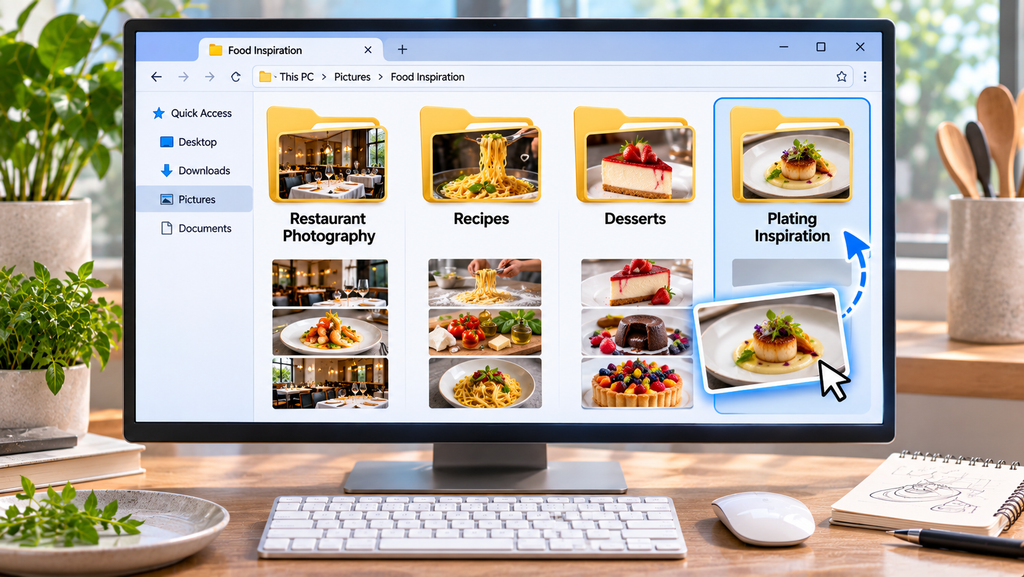
For an organized collection, the Instagram video download options available through Grabfy can complement saved food photos by helping you keep supported cooking videos and restaurant clips alongside your visual references.
This makes it easier to compare presentation styles, revisit cooking techniques, and develop original food content.
Downloading Instagram Stories and Restaurant Highlights
Restaurants often use Instagram Stories to announce limited-time offers, seasonal menus, and special events.
Stories generally disappear after 24 hours unless preserved as Highlights.
Saving publicly accessible Stories can be useful for authorized restaurant marketing archives or personal reference.
However, expired Stories may no longer be retrievable, and private content remains inaccessible through ordinary public downloaders.
Common Instagram Food Video Download Problems
The Download Link Isn’t Working
Confirm that the original Instagram post is public and that you’ve copied the complete URL.
Deleted posts, private accounts, and temporary service problems may prevent downloading.
The Downloaded Video Looks Blurry
Instagram may have compressed the original footage.
Check whether a higher-resolution source is available, but remember that downloading cannot recreate missing image details.
The File Doesn’t Appear in Your Gallery
Check your browser’s download history or your device’s Downloads folder.
On iPhone, you may need to move a downloaded file from Files into Photos.
Is It Safe and Legal to Download Instagram Food Videos?
Downloading public Instagram content doesn’t automatically grant permission to reuse it.
Food photographers, restaurants, and video creators may retain copyright over their original work.
Saving a recipe demonstration for personal reference differs from republishing the video on your website or using it in advertising.
Before commercially reusing someone else’s media, obtain appropriate permission or confirm that your intended use is legally permitted.
For security, avoid download services requesting Instagram passwords, verification codes, or unnecessary software installations.
Tips for Organizing Downloaded Food Content
A well-organized collection makes saved food inspiration easier to revisit.
Create folders such as Recipes, Restaurant Reviews, Food Photography, and Cooking Techniques.
Rename files using recognizable information, including the dish, restaurant, creator, or date.
Keep the original Instagram links and creator information alongside downloaded files, especially when collecting material for professional projects.
For important content you own or have permission to archive, maintain a backup on reliable storage.
Frequently Asked Questions
Can I download Instagram food videos without logging in?
Yes. Compatible browser-based downloaders can save supported public videos without requiring Instagram login credentials, so users can download IG videos through a browser without signing in to an Instagram account
Can I download videos from private restaurant accounts?
No. Public-content downloaders cannot legitimately bypass private-account restrictions.
Does downloading reduce video quality?
Not necessarily. However, Instagram may already have compressed the source media before downloading.
Can I reuse downloaded restaurant videos?
Permission may be required, particularly for advertising, commercial publishing, or redistribution
Final Thoughts
Downloading Instagram food videos and photos can make it easier to collect recipes, discover restaurants, and explore creative food presentation ideas.
Browser-based tools provide a convenient approach to saving supported public content without installing additional applications.
By preserving available quality, organizing files, and respecting creators’ rights, you can build a useful collection of food and restaurant inspiration for future reference.

