



Patch day used to mean a single office network and a short list of machines. Now it means laptops on home Wi-Fi, a few rugged scanners in a warehouse, and a scattering of Macs someone in sales insisted on. Picking the right device management platform shapes how much of that chaos actually lands on your plate.
The six platforms below approach the problem from different directions. Some are built around patching specifically. Others fold device management into a bigger HR or workflow suite. A few lean hard into one operating system. Knowing which shape fits your fleet matters more than any single feature on a spec sheet.
Table of Contents
Best for Straightforward Patch Automation – PDQ
PDQ is a cloud-based IT device management platform built around getting software updates out the door without a lot of friction. It covers Windows and macOS devices, and its whole pitch centers on handling the repetitive parts of patching so sysadmins aren’t manually chasing installers.
That includes a library of 1,000+ prebuilt application packages, automated deployment schedules, and flexible patching workflows that take most of the manual setup out of third-party software updates. Instead of juggling separate tools for each task, PDQ combines patch management with endpoint visibility, vulnerability management, and software deployment in one place, which cuts down on the tool-switching that eats up an admin’s day.
The platform runs in the cloud and is agent-driven, so teams can patch and manage devices across offices, home setups, and other distributed locations without needing a VPN connection first. That matters for any IT team managing a workforce that isn’t sitting in one building anymore. PDQ is a reasonable fit for lean IT teams who want patching, vulnerability remediation, and basic endpoint tasks handled through one interface built for the person actually doing the work, not a dashboard layered on top of it for someone else to read.
Best for AI-Driven Enterprise Workflows – ServiceNow
ServiceNow is built for a different scale of problem. It’s an AI platform aimed at enterprise workflows, meant to support both customers and employees across a large organization rather than just the IT department.
Its AI Control Tower is built to discover, secure, and measure the impact of every AI system running inside a company, which is a different kind of oversight than patch scheduling. The catch is that ServiceNow is positioned around enterprise-wide workflow automation generally, not endpoint patching specifically, so a team that just needs Windows and Mac machines kept current is buying into a much bigger platform than the job requires.
Best for Unifying HR, IT and Finance – Rippling IT
Rippling IT takes workforce management and folds IT into it. The pitch is one unified data platform running HR, IT and finance apps together, so a new hire’s device setup, payroll and account provisioning all live in the same system.
That’s a genuinely different model than a dedicated patch tool. The trade-off is that IT sits as one piece of a broader workforce platform rather than the main event, which suits a company that wants HR and device management tied together more than it suits a team purely focused on patch compliance.
Best for Full Lifecycle Mobile Device Management – SOTI MobiControl
SOTI MobiControl is an enterprise mobility management solution designed around any device, any form factor, and any operating system a business runs. It handles app deployment to smartphones, location tracking for rugged devices, and security controls for IoT endpoints, plus the kind of downtime minimization that matters when field workers depend on a handheld scanner to do their job.
The cloud license runs $4 per device per month, which is worth weighing against the size of a mobile fleet before committing. SOTI MobiControl fits a business running a lot of rugged, field-deployed mobile hardware more than one managing a standard office mix of laptops and desktops.
Best for Budget-Conscious Mobile Fleets – ManageEngine Mobile Device Manager Plus
ManageEngine Mobile Device Manager Plus centers on an intuitive interface and cost-efficient security features for managing mobile devices. There’s a free plan available, and the Standard edition starts at $1.28 per device per month, with up to 20% off on annual billing, or a $64 flat monthly rate.
That pricing makes it an accessible starting point for a smaller mobile fleet. The flip side is that its feature set is scoped around mobile device management rather than the broader Windows and Mac desktop patching that a mixed-fleet IT team usually needs covered too.
Best for Small Businesses Running Apple Devices – Apple Business Essentials
Apple Business Essentials is an all-in-one subscription built specifically for small businesses managing iPhone, iPad, Mac, and Apple TV devices. Collections let admins automatically assign apps and settings to employees, teams, and devices, and sign-in integrates with Microsoft Azure Active Directory and Google Workspace alongside Managed Apple Accounts.
Security options cover password policies, FileVault and Firewall enforcement, and AppleCare+ for Business Essentials adds 24/7 support with flexible repair options. It’s rated 4.6 out of 5 stars on G2. Because it’s built around Apple’s own ecosystem, it’s the strongest fit for a business that’s all-in on Apple hardware and a weaker match for anyone running a mixed Windows and Mac environment.
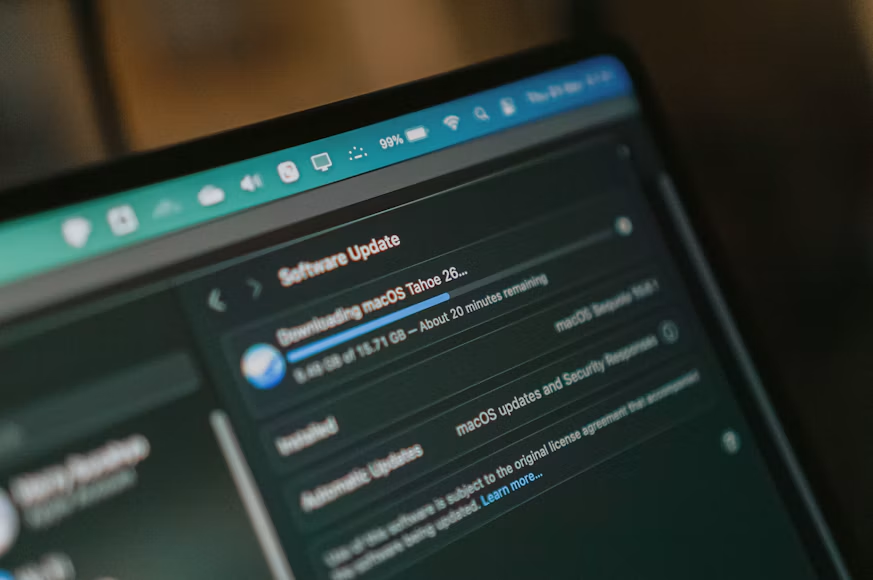
Image Credit: Unsplash
What Actually Separates These Platforms
Before comparing feature lists, it helps to know what category you’re actually shopping in. Patch management software focuses specifically on keeping operating systems and third-party applications updated and free of known vulnerabilities. Mobile device management (MDM) and enterprise mobility management (EMM) tools focus on provisioning, tracking, and securing phones and tablets, often with location and lockdown features patch tools don’t touch. Broader workforce or workflow platforms treat IT as one module inside HR, finance, or enterprise automation.
None of these categories is strictly better. A company with a mixed Windows and Mac office fleet needs different coverage than a logistics operation running rugged handheld scanners in a warehouse. The National Institute of Standards and Technology’s guidance on patch management is a useful baseline for understanding why consistent, scheduled patching reduces exposure to known vulnerabilities, regardless of which vendor handles it.
Pricing structure is another real differentiator. Per-device monthly pricing, like SOTI MobiControl’s $4 per device or ManageEngine’s $1.28 per device, scales predictably as a fleet grows. Flat-rate or bundled pricing can work out cheaper for a mid-size fleet but makes it harder to forecast costs as headcount changes. Worth checking against your own device count before signing anything.
Matching the Platform to Your Fleet, Not the Other Way Around
The right pick depends on what your fleet actually looks like and what you’re already managing it with. A business fully on Apple hardware gets more value from a platform built around that ecosystem than from a generalist tool. A company running rugged mobile devices in the field needs location tracking and lockdown features that a desktop-focused patch tool won’t offer. And a team that already runs HR and finance through one workforce platform might reasonably want IT folded into the same system rather than adding a separate vendor.
For IT teams handling a standard Windows and macOS fleet spread across offices, home setups, and remote sites, PDQ’s combination of automated patching, a large prebuilt package library, and a workflow built for the person actually doing the patching makes it the standout choice when the job is keeping software current without adding another layer of complexity. If your team is weighing broader IT infrastructure decisions alongside patching, it’s also worth looking at how smart home technology is lowering household energy costs for a sense of how automation plays out in adjacent areas of operations.

